There is a beige tower in a lot of basements that still boots. The hard drive clicks, the CRT warms up, and it does exactly what it did in 1999. It deserves software that is still being written for it.
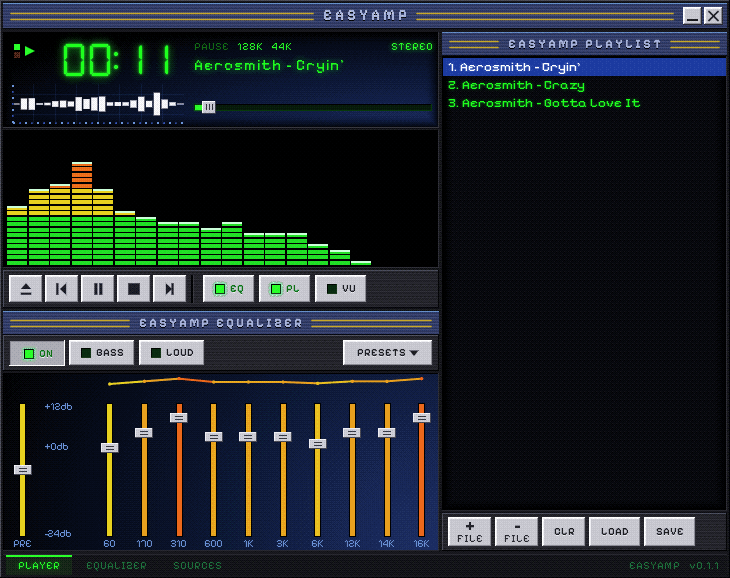
EasyAmp Retro is not the modern app squeezed into an emulator. It is a native Windows program written from scratch in C for Windows 98 SE and XP: the same look, the same parametric equalizer, the same playlists, drawn pixel by pixel so it looks right whether your desktop has sixteen million colours or sixteen.
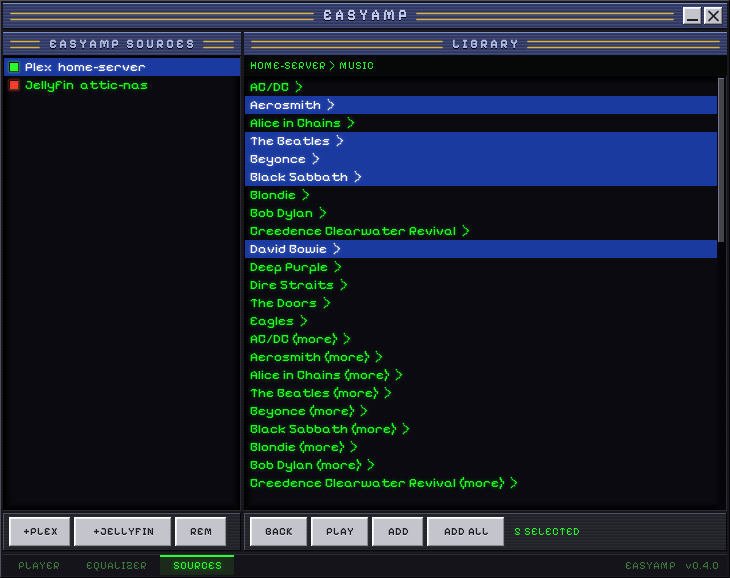
And it reaches forward. It will stream your Plex or Jellyfin library to a computer that was built before either existed. Old hardware, new music, no cloud account required beyond the server you already run.
It is free, open source, and always will be. Keeping old computers useful is a good thing to do, and nobody should have to pay to do it.
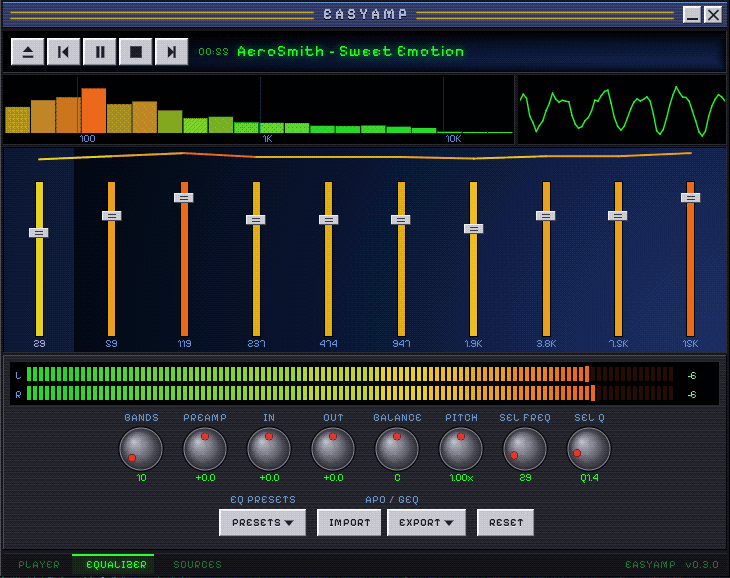
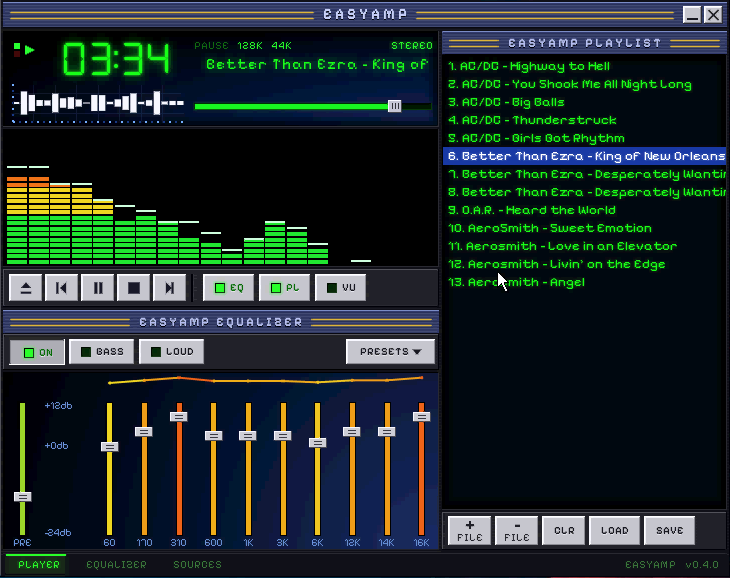
The installer puts EasyAmp in Program Files, adds Start Menu and desktop shortcuts, and removes cleanly from Add/Remove Programs. The portable download is the same program as a single file: run it from any folder, a USB stick or a floppy.
Your Windows 98 machine cannot open this page: the modern web is encrypted in ways its browser never learned. So there is a second, plain address made for it. Type this into Internet Explorer on the old computer:
http://dl.easyampstereo.com/retro/
That page is plain HTML with no encryption and no scripts, and the downloads are the same files. Otherwise, download here and carry it over: a USB stick, a CD-R, a network share, or a floppy disk (it fits with room to spare).
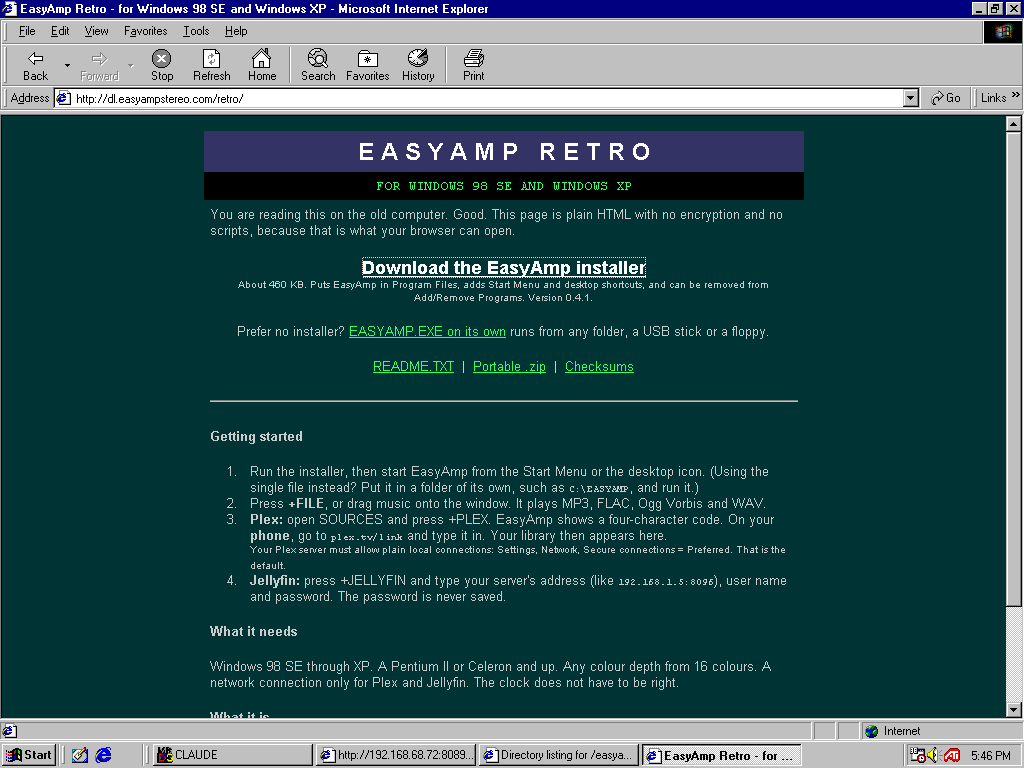
Run the installer and start EasyAmp from the Start Menu or its desktop icon. Going portable instead? Make a folder such as C:\EASYAMP, unzip into it and run EASYAMP.EXE; to remove it, delete the folder.
Press +FILE, or drag music onto the window. MP3, FLAC, Ogg Vorbis and WAV. Double-click a track to play it. Ctrl-click and Shift-click select several; LOAD and SAVE keep playlists as ordinary .m3u files.
Open SOURCES, press +PLEX. EasyAmp shows a four-character code. On your phone, go to plex.tv/link and type it in. A moment later your library appears on the old PC. Browse to an artist, album or track; PLAY, ADD or ADD ALL.
Your Plex server must allow plain local connections: Settings → Network → Secure connections = Preferred (that is the default). Only the link step is encrypted; the music itself travels plainly across your own network, which is what lets a 400 MHz processor keep up.
Press +JELLYFIN and type your server's address (for example 192.168.1.5:8096), your user name and password. The password is used once and never saved.
The EQUALIZER page is a 10 to 32 band parametric EQ with presets, bass and loudness, balance, and cassette-style pitch. IMPORT and EXPORT read and write Equalizer APO and AutoEQ files, so a curve tuned for your headphones on a modern PC works here too.
▣ Not much
Tested on Windows 98 SE and Windows XP SP3, on real hardware. Windows ME and 2000 sit between the two and should work; if you try one, tell us. A Pentium II or Celeron and up: it uses no SSE, so processors from before 1999 are fine. It uses about 10 MB of memory. Any sound card Windows can play through.
Any screen size. On an 800x600 laptop or a 1024x600 netbook the window gets shorter to clear the taskbar and stays pixel-sharp; on 640x480 the whole picture is scaled to fit.
Any colour depth from 16 colours up. On a 256-colour desktop it installs a palette tuned to its own skin; at 16 colours it dithers. It looks like itself everywhere.
For Plex and Jellyfin the PC needs a network connection. The clock does not have to be right.
? The usual suspects
Red light beside a server: the old PC cannot reach it. Check the cable, and that the server allows plain local connections.
Plex code will not link: codes last fifteen minutes. Press +PLEX again for a fresh one. The zero in the code has a slash through it.
Colours look wrong in 256-colour mode: click the EasyAmp window. Windows gives the palette to whichever program is in front.
Anything else: open an issue and say which machine and Windows version. Old hardware is endlessly varied and reports are how this gets better.
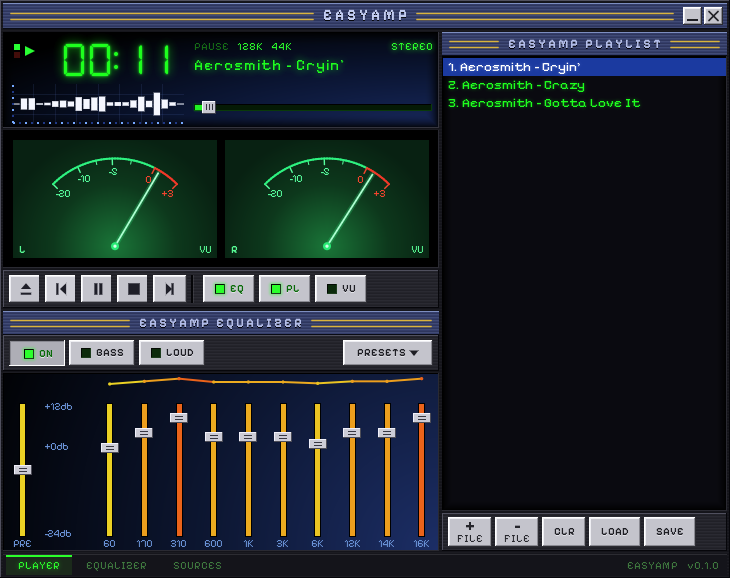
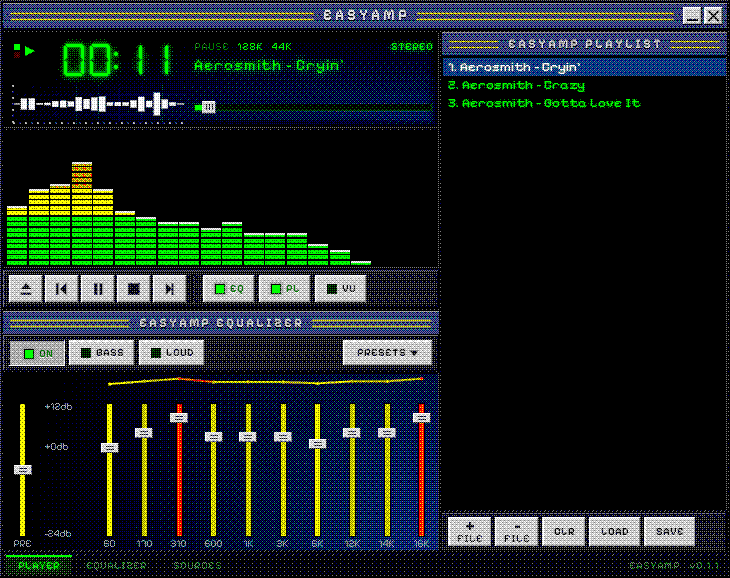
Plain C and the Win32 API, cross-compiled and linked into a single executable with no runtime to install. It draws every pixel itself instead of asking Windows to, which is why a 1998 video driver and a 2004 one produce the same picture. Fonts are pre-rendered with their glow baked in, so nothing is blurred at run time.
The encrypted step of Plex linking uses BearSSL, because Windows 98 and XP cannot speak modern TLS on their own. On a 400 MHz Celeron the whole handshake takes about half a second. Decoding is by minimp3, dr_flac and stb_vorbis. All of it is open source, and every build is checked to make sure it asks Windows 98 for nothing Windows 98 does not have.
It was tested the only way that counts: on real machines, with real CRT-era desktops, playing real music.